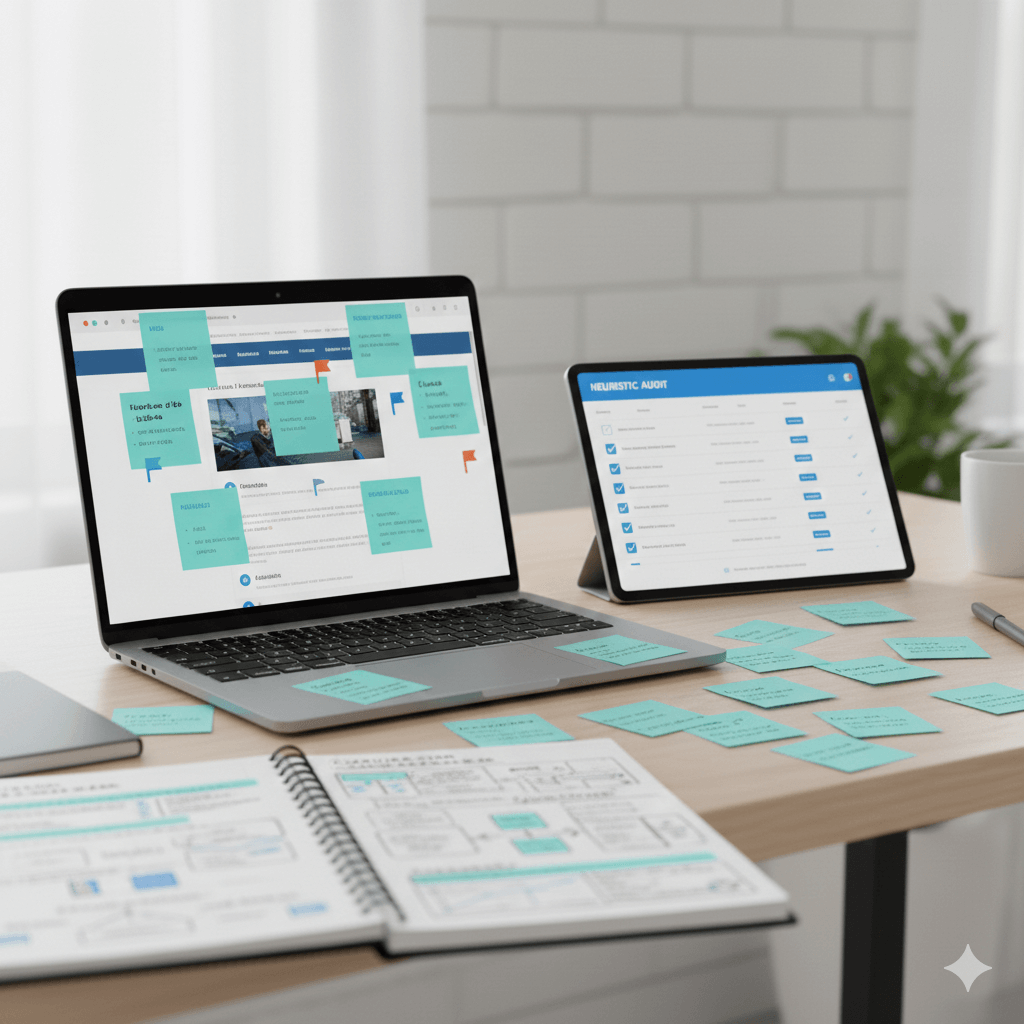
Heuristic Evaluation: How to Conduct UX Audits When Working Solo
📑 View contents
Initial Confession: The Elephant in the Room
Okay, let me be honest from the start.
If you Google “heuristic evaluation,” you’ll find tons of articles telling you that you need between 3 and 5 expert evaluators to identify 75-80% of usability problems. And they’re right. The literature says so, Nielsen says so, the papers confirm it.
The problem? I work in consulting. Solo.
Well, not entirely alone (hi Mauro 👋), but when I conduct heuristic evaluations for clients like OficinaVirtual or Mudango, I’m the one sitting in front of the screen reviewing flows and detecting problems. I don’t have a team of 5 UX researchers waiting to triangulate findings.
And you know what? That doesn’t invalidate the method. It just means you need to be more strategic about how you use it.
In this article, I’ll tell you how I adapt heuristic evaluation to the reality of working as an independent consultant in Chile, why I never use it in isolation, and how I combine it with other tools so the findings have the backing they deserve.
What is Heuristic Evaluation? (The Honest Version)
Heuristic evaluation is a usability inspection method where an expert (or several, in an ideal world) reviews an interface and compares it against a set of recognized design principles called heuristics.
The term comes from the Greek heuriskein, meaning “to discover.” And that’s exactly what we do: discover potential problems before real users get frustrated with them.
“Heuristic evaluation involves having a small set of evaluators examine the interface and judge its compliance with recognized usability principles.” — Jakob Nielsen
Why Is It Still Useful After 30 Years?
Nielsen’s 10 heuristics turned 31 in 2025, and they remain the de facto standard. Why? Because they’re not specific design rules that change with each new technology, but rather address fundamental human factors: memory capacity, the need for feedback, system control.
Human cognition doesn’t change at the same speed as technology.
What Heuristic Evaluation Is NOT
Before we continue, let’s clarify something important:
- It’s not a usability test. You don’t observe real users doing tasks.
- It’s not a cognitive walkthrough. Although they’re similar, a walkthrough simulates a new user’s step-by-step experience; heuristic evaluation assesses general principles.
- It’s not a “pass/fail” checklist. This is one of the most common mistakes. Treating heuristics as a binary checklist ignores the method’s purpose: contextual diagnosis.
Nielsen’s 10 Heuristics: The Standard That Lives On
Although other frameworks exist (Shneiderman, Gerhardt-Powals, UX Quality Heuristics), Nielsen’s 10 heuristics remain the starting point for any evaluation. They’re the “lingua franca” of usability.
Here I’ll explain them with examples I’ve found in real projects:
1. Visibility of System Status
The system should keep users informed about what’s happening through appropriate feedback within a reasonable time.
Problem example: A quote form that shows no progress indicator. The user doesn’t know if they’re on step 2 of 3 or 2 of 10.
2. Match Between System and the Real World
The system should speak the users’ language, not technical jargon.
Problem example: A services site that uses “Peripheral Input Devices” when the user is looking for “Keyboards and Mice.” Or worse: using legal terms without explanation in a contracting flow.
3. User Control and Freedom
Users make mistakes and need clear “emergency exits.”
Problem example: A purchase flow where you can’t go back without losing everything you entered. Or a modal that can’t be closed without completing an action.
4. Consistency and Standards
The same term should mean the same thing throughout the site.
Problem example: An admin panel that uses “Dashboard” to refer to both the entire area AND a specific sub-page. This forces the user to learn two meanings for the same word.
5. Error Prevention
Better than a good error message is preventing the error from occurring.
Problem example: A date field that accepts any format but then fails validation. Better: a datepicker that only allows valid dates.
6. Recognition Rather Than Recall
Minimize memory load by making objects, actions, and options visible.
Problem example: A site that doesn’t show “recently viewed products” or recent searches. The user has to remember everything they did in previous sessions.
7. Flexibility and Efficiency of Use
The system should serve both novices and experts.
Problem example: Not offering keyboard shortcuts in a tool that frequent users use daily. Or conversely: overwhelming new users with advanced options.
8. Aesthetic and Minimalist Design
Every extra piece of information competes with relevant elements.
Problem example: A product page with so much information that the “Buy” button gets lost among banners, badges, and promotional text.
9. Help Users Recognize, Diagnose, and Recover from Errors
Error messages should be clear, indicate the problem, and suggest a solution.
Bad example: “SYNTAX ERROR” or “Error 500.”
Good example: “Password must have at least 8 characters. You’re missing 2.”
10. Help and Documentation
Although ideally the system shouldn’t need documentation, sometimes it’s necessary.
Problem example: A complex system with no tooltips, contextual guides, or help section. The user is left stranded.
Beyond Nielsen: Cugelman’s Behavioral Heuristics (AIM)
This is where it gets interesting (and where I differ from most articles on this topic).
In my last project with OficinaVirtual, I didn’t limit myself to Nielsen’s heuristics. I incorporated Brian Cugelman’s AIM framework, which comes from applied behavioral analysis.
What is the AIM Framework?
AIM stands for Attention, Interpretation, Motivation. It’s a framework developed by Cugelman and his team at AlterSpark that complements traditional heuristics with behavioral psychology principles.
The idea is simple but powerful:
- Attention: Does the design capture user attention at the right points?
- Interpretation: Does the user understand what they’re seeing? Does it make sense within their mental models?
- Motivation: Is there enough motivation to perform the desired action? Is it easy to execute?
This framework connects directly to the Fogg Model (B=MAP): a behavior occurs when there’s sufficient Motivation, Ability, and a Prompt at the right moment.
Why Do I Use It?
Because Nielsen’s heuristics tell you if something is well designed, but not necessarily if it will work for the business objective.
A button can perfectly comply with “Visibility of System Status” and still not generate conversions because the user isn’t motivated, or because the copy doesn’t connect with their mental models.
With AIM we evaluate:
- Is the design capturing attention in the right place?
- Does the language connect with the user’s mental models?
- Is the process friction calibrated with the motivation level?
How I Do It in Practice: Real Cases
Let me tell you how I’ve applied this in real projects:
Case 1: OficinaVirtual (2025)
Context: Virtual office services startup that needed to review their new page’s sales flow before launch. They had only 2 weeks.
The challenge: Three simultaneous decisions on one screen (choose plan, choose location, choose term). Too much cognitive load.
My approach:
- Heuristic evaluation with Nielsen + AIM (Cugelman)
- Analytics and Search Console analysis to understand current behavior
- Benchmark of references (telcos, which handle plan presentation well)
What I found with traditional heuristics:
- Violation of “Recognition rather than recall” (user had to mentally compare too many variables)
- “Consistency” problems (the price table changed format based on selected term)
What I found with AIM:
- Attention was scattered (the eye didn’t know where to look first)
- Interpretation failed because the user’s mental model (comparing prices like a telco) didn’t match the presented structure
- Motivation was lost in the friction of having to make 3 decisions together
Recommendation: Separate decisions into steps or use progressive disclosure. Highlight the best-selling plan as an anchor (a technique telcos use).
Case 2: Mudango (2023)
Context: Storage service that wanted to improve the quote flow through their Bot.
My approach:
- Heuristic evaluation of the web flow
- Funnel analysis in Analytics (from entry to conversion)
- In-depth interviews with customers (10 per country: Chile, Colombia, Mexico)
- Moderated usability testing with 5-7 people
Why I combined methods:
- Heuristics gave me a quick diagnosis of obvious problems
- Interviews revealed pain points I never would have found just looking at the interface
- The Analytics funnel showed me WHERE users were dropping off
- Usability tests CONFIRMED the hypotheses
Key learning: The heuristic evaluation was the initial filter that allowed me to prioritize which flows to test with users. Without it, I would have wasted time testing things that were obviously broken.
The Triangulation Method: Why I Never Use Heuristics Alone
Here comes the most important point of this article.
Heuristic evaluation is an initial quality filter, not a final diagnosis.
When you work solo (like me), you have to compensate for the lack of multiple evaluators with source triangulation. This means combining heuristic evaluation with at least 2-3 additional data sources.
My Typical Combo
Option A: When time is short (like OficinaVirtual)
- Heuristic evaluation (Nielsen + AIM)
- Analytics and Search Console analysis
- Competitor/reference benchmark
Option B: When there’s more time and budget (like Mudango)
- Heuristic evaluation
- Internal data analysis (funnels, heatmaps, recordings)
- User interviews
- Usability testing
Why Does It Work?
Because each method gives you a piece of the puzzle:
| Method | Tells you… |
|---|---|
| Heuristic evaluation | What MIGHT be wrong (hypothesis) |
| Analytics/Funnels | WHERE users are dropping off |
| Interviews | WHY they’re frustrated |
| Usability tests | IF the problem is real and severe |
Heuristics provide you with hypotheses while methodological triangulation gives you the evidence you need to validate your research.
And when I present results to a client, I replace “I think this is wrong” with “heuristics suggest a problem here, Analytics confirms there’s a 40% drop at this point, and interviews, for their part, show us that it’s because users don’t understand X.”
Your superpower is evidence.
Step by Step: How to Execute Your Heuristic Evaluation
Okay, now the practical part. This is how I do a heuristic evaluation:
1. Define the Scope
Don’t try to evaluate the ENTIRE site. Focus on:
- Critical flows (quote, purchase, registration)
- Pages with the highest traffic or highest abandonment rates
- New elements that are about to launch
2. Understand the Context
Before opening the interface:
- Who are the target users?
- What are the business objectives?
- Are there defined personas/archetypes?
Without context, the evaluation becomes generic.
3. First Pass: Overview
I navigate the site without taking notes, just to understand the general flow. How does it feel? Where do I get lost? What frustrates me?
4. Second Pass: Systematic Evaluation
Now, with heuristics in hand (Nielsen + AIM), I evaluate each screen and each critical flow.
For each problem found, I document:
- Location: Which screen/step it occurs
- Description: What’s wrong
- Heuristic violated: Which principle isn’t being met
- Severity: 0 to 4 (Nielsen scale)
- Screenshot: Visual evidence
5. Classify Severity
I use Nielsen’s classic scale:
| Severity | Description |
|---|---|
| 0 | Not a usability problem |
| 1 | Cosmetic problem - fix if time permits |
| 2 | Minor problem - low priority |
| 3 | Major problem - important to fix |
| 4 | Catastrophe - must fix before launch |
6. Triangulate with Other Sources
I don’t deliver a report based only on heuristics. Instead, I try to cross-reference them with other sources the company has available, such as:
- Analytics data
- User feedback (if it exists)
- Competitor benchmark
- Previous work (surveys, interviews)
- Industry reports
- Search Console
7. Prioritize and Recommend
The final deliverable includes:
- List of problems prioritized by severity
- Evidence for each problem (screenshots, data)
- Concrete improvement recommendations
- Impact vs. effort matrix
Template and Tools
Basic Recording Template
You can use a simple spreadsheet with these columns:
| ID | Location | Problem Description | Heuristic Violated | Severity (0-4) | Evidence | Recommendation |
|---|---|---|---|---|---|---|
| 1 | Checkout step 2 | No progress indicator | H1 - System status visibility | 3 | [screenshot] | Add stepper with steps |
Tools I Use
- Screenshots: Any screenshot tool (I use Fireshoot)
- Documentation: Google Sheets for recording, Google Slides or Figma Slides for the report.
- Analytics: Google Analytics 4, Clarity (heatmaps and recordings)
- Benchmark: Simply navigate reference sites and document best practices
Additional Resources
- Heuristics posters: NNGroup has free posters you can have in your workspace
- Hassan Montero’s guide: A detailed checklist in Spanish available at nosolousabilidad.com
- Cugelman’s AIM Framework: Available on the AlterSpark and Behavioral Design Academy sites
Final Reflection
Heuristic evaluation is over 30 years old and remains relevant because it addresses something that doesn’t change: how we humans work.
Yes, ideally you’d have 3-5 evaluators. Yes, in consulting we often work solo. But that doesn’t mean the method doesn’t work. It means we have to be more strategic, more honest about limitations, and more rigorous in triangulating information.
Because what matters is not checking off a checklist, but understanding the user and helping create products that truly work for them.
And that, with a bit of method and a lot of honesty, can be done even from a small consultancy in Chile.
Related Resources
- Complete UX Heuristic Analysis Guide - Nielsen’s 10 heuristics explained in detail
- UX Methodology Selector - Find the right method for your project
- UX Research Services - Professional heuristic audits
References
- Cugelman, B. (2013). Gamification: What It Is and Why It Matters to Digital Health Behavior Change Developers. JMIR Serious Games, 1(1), e3. https://doi.org/10.2196/games.3139
- Hassan Montero, Y., & Martín Fernández, F. J. (2003). Guía de Evaluación Heurística de Sitios Web. No Solo Usabilidad, nº 2. https://www.nosolousabilidad.com/articulos/heuristica.htm
- Nielsen, J. (1994). 10 Usability Heuristics for User Interface Design. Nielsen Norman Group. https://www.nngroup.com/articles/ten-usability-heuristics/
- Nielsen, J., & Molich, R. (1990). Heuristic evaluation of user interfaces. CHI '90 Proceedings, 249-256.
- Rubin, J., & Chisnell, D. (2008). Handbook of Usability Testing: How to Plan, Design, and Conduct Effective Tests (2nd ed.). Wiley.