
How to Learn UX Research for Free in 2026 | Complete Resource Guide
📑 View contents
Resources, Strategies, and Tools to Grow in an Evolving Industry
A guide for self-taught learners, social science and humanities professionals, and those seeking to transition into user experience research.
Why Learn UX Research Today?
User Experience Research (UX Research) is not just a tool for validating designs: in 2026, it determines whether digital products actually solve problems in areas like mental health, AI, and education. The discipline has evolved significantly since I started working in it, and it increasingly integrates with other areas such as data analysis, behavioral ethics, and accessibility.
The best part? You can learn the principles that will allow you to design valid studies and communicate findings with credibility, all for free, with focus, community, and practice. You don’t need to spend a fortune, but you do need curiosity, order, and guided practice.
2. What is UX Research in 2026?
UX Research is the discipline that studies how people interact with products, services, or experiences, with the goal of improving those interactions ethically and based on evidence.
UX Research combines classic skills (interviews, observation, analysis) with automation tools, artificial intelligence, and ethical behavioral analysis.
Something I really appreciate about how Jan Dittrich defines it in his free book “A Beginner’s Guide to Finding User Needs” is that the goal is to understand users’ motivations, activities, and problems. This helps me always remember the MAP framework (Motivations, Activities, Problems) when I prepare any research.
3. Free UX Research Courses in English and Spanish
Do you want to train in user research without spending money? Here is a selection of free and open courses with high-quality content, ideal for beginners and people with a background in psychology, design, or social sciences.
Our Free Course in Spanish
Before moving on to external resources, I want to mention that precisely because of the difficulty of finding introductory content in Spanish, I designed a completely free Introduction to UX Research Course.
I designed it thinking of those who are starting from scratch or come from other disciplines (psychology, sociology, design) and want to understand the fundamentals without having to navigate through a thousand resources in English. If you are just starting, it can be a good starting point before diving into everything else :)
Recommended Introductory Courses
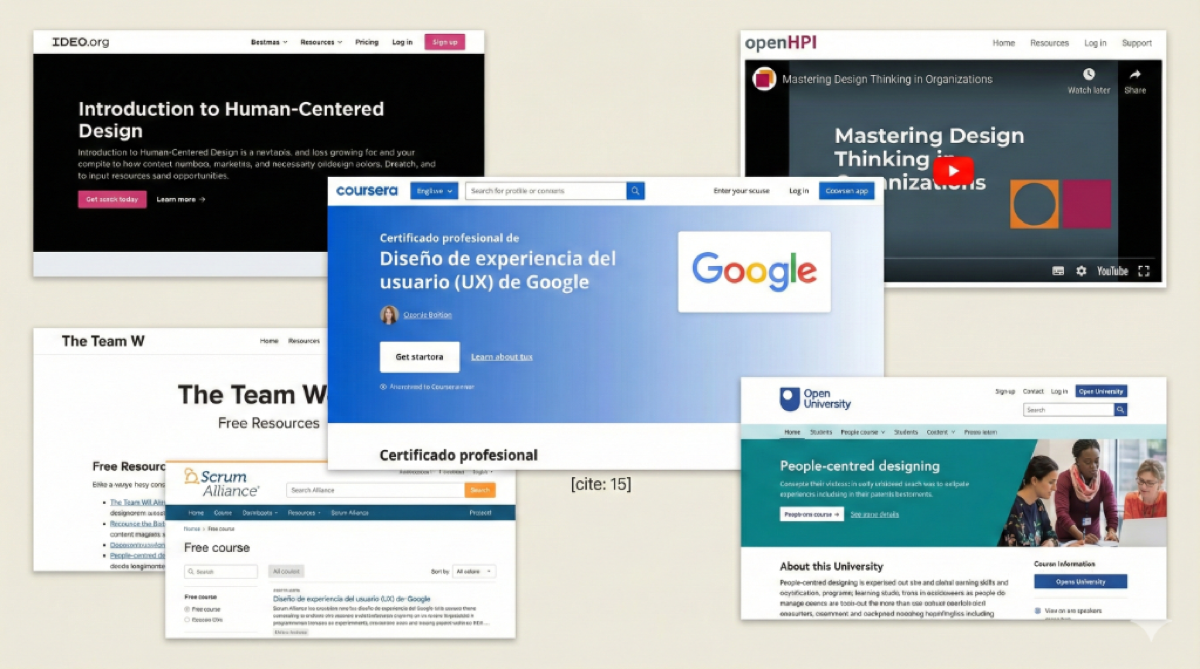 Start today with these high-quality free courses.
-
Google UX Design Certificate (Coursera) – You can audit it for free. Although it focuses on general UX design, it includes key research fundamentals.
-
People-Centred Designing – OpenLearn – Ideal for understanding how to design people-first, not based on assumptions.
-
Digital Humanities – MIT OCW – An academic approach connecting qualitative research, technology, and digital humanities.
-
How to Develop Breakthrough Products and Services – MIT OCW – Course focused on innovation with applied research fundamentals.
-
Qualitative Social Science Methods – MIT OCW – For those coming from sociology, psychology, or anthropology, this course is a diamond for UX Research.
-
Design Thinking – OpenLearn – A classic to learn how to structure empathy, ideation, and testing.
-
Introduction to Interaction Design – OpenLearn – Perfect complement to understand experience from the interface perspective.
-
Interaction Design Foundation (IDF) – Has a basic free account offering limited but valuable access to some resources.
-
Acumen Academy: Introduction to Human Centered Design – Several very interesting courses, most of them free.
-
Open HPI: Mastering Design Thinking in Organizations – Launched in 2020, still very relevant.
-
FutureLearn: Digital Skills (UX) by Accenture – I took this course at the beginning of my UX journey and loved it.
-
The Team W – Free courses on behavioral economics topics.
-
Scrum Alliance: Free Courses – Library of free courses related to Scrum.
💡 Tip: Plan one course per month + one reading + one real practice. It is better to go little by little than to get overwhelmed with everything that could be done :)
4. Blogs and Articles to Learn User Research
During my first years as a UX and UX Researcher, I read a Medium article every day from different authors. It was part of my daily routine on the subway to and from work (in the alternate reality of in-person work xD). I read a bit of everything, but started liking some authors and began reading more from them.
Recommended Authors on Medium
Other Blogs and Web Resources
-
NNGroup – I am subscribed to the YouTube channel and, as I mentioned before, I have notifications turned on. I also follow them on LinkedIn.
-
Dscout – People Nerds – The Guides & Resources section and the Blog are highly recommended.
-
Interaction Design Foundation – Has an Open Source library with a lot of UX content.
-
Big Tech Blogs – Spotify Design, Google Design, Adobe XD Ideas have articles on work processes and collaboration.
-
Harvard Business Review – Articles on Customer Experience, Strategy, and Brand Management.
-
A Beginner’s Guide to Finding User Needs – Jan Dittrich – A free and open source book I found this year. Excellent for understanding the fundamentals of qualitative user research with a very practical approach.
-
EPIC People Library – A collection of over 450 articles and 130 videos on ethnography applied to business and organizations. All content is open access, peer-reviewed, and free. Ideal if you’re interested in ethnography as a research method in organizational contexts.
5. UX Podcasts in Spanish
I read and listen in English, but with podcasts, I just can’t conceive listening in a language other than Spanish (I think it has to do with my diminished attention span, haha), so although I have tried with several references, in the end, I go back to listening only to podcasts in Spanish. Here are my favorites:
- UX Research MX – Excellent content from Mexico.
- UX en Español – Variety of topics and interviews.
- Diseño y Diáspora – Diverse perspectives on design.
- Beercamp (IxDA Santiago) – From Chile, with local and global topics.
6. Conferences and Talks on YouTube
Many, many. Here are some I watch continuously:
-
Learners – In 2020 they held the first remote and free UXR Conference, and it was a success. 2022 was hybrid and continued to be great.
-
UX Research & Strategy – With an extensive archive of the conferences they have held.
-
NNGroup (YouTube) – As mentioned before, I have notifications turned on.
-
Indi Young – Talks on problem space research and listening (I love this author).
-
Chris Do (The Futur) – Business and design.
-
Delta CX – Customer experience.
-
Strategyzer – Value proposition and business model canvas (a must).
-
Eventbrite – I have registered for several free talks on different UX-related topics. You can search by topic, date, and event type.
7. Essential UX Research Books

You can search for these titles in digital libraries, used versions, or under open licenses. You can also find PDF summaries or specialized YouTube channels.
Fundamental Books
- Think Like a UX Researcher – Travis & Smith
- Interviewing Users – Steve Portigal
- Validating Product Ideas – Tomer Sharon
- Observing the User Experience – Goodman & Kuniavsky
- Designing for the Digital Age – Kim Goodwin
- Just Enough Research – Erica Hall
Free and Open Source Books
-
A Beginner’s Guide to Finding User Needs – Jan Dittrich (Free and excellent!)
-
Learn More Faster – Michael Margolis (Book and free resources! There are also videos of the author showing how to do testing and interviews in practice, a gem)
-
Conversational Design – Erika Hall (Free book on conversational design)
-
Responsive Web Design – Ethan Marcotte (Free book by the creator of responsive design concept)
-
Designing for Real Life – Eric Meyer & Sara Wachter-Boettcher (Free book on inclusive and empathetic design)
-
Design for Real Life – Eric Meyer & Sara Wachter-Boettcher (Designing for stress cases and crisis situations)
-
On Web Typography – Jason Santa Maria (Free book on web typography)
-
The Elements of Content Strategy – Erin Kissane (Free book on content strategy)
-
You Are My Favorite Client – Mike Monteiro (Free book on client-designer relationships)
For Deepening into Digital Research
- Digital Ethnography: Principles and Practice – Pink, Horst, Postill et al.
- Netnography: The Essential Guide to Qualitative Social Media Research – Robert V. Kozinets
8. Academic Journals and Advanced Resources
When I want to know something in depth, like I did in the article on How to Build User Personas, I review recent scientific article publications and classics on the subject. Many have articles that are open access:
Journals and Databases
- Journal of User Experience (UXPA) – The official journal of UXPA.
- Qualitative Market Research: An International Journal (Emerald) – Excellent for qualitative research applied to marketing and UX.
- Google Scholar – My first stop to search for papers.
- ResearchGate – Academic social network with many free papers.
- Academia.edu – Similar to ResearchGate.
- ScienceDirect – Elsevier’s database.
- Design Research Society – Design conference papers.
- Behavioral Scientist – Articles on human behavior.
- Design Council UK – British Design Council resources.
- Revista UDD-Chile – Local Chilean publication.
- Gendered Innovations Stanford – Research with a gender perspective.
Featured Resource: Qualitative Social Media Research Resource Guide
This year I found an incredible resource created by Jenna Drenten (Loyola University Chicago) that compiles tools, research networks, trainings, and journals for qualitative research on social media and digital culture. It is particularly useful if you are interested in digital ethnography or the analysis of platforms like Instagram, TikTok, or YouTube.
The document includes:
- Tools for data collection and analysis (Instaloader, TikTok Python Crawler, MAXQDA).
- Research networks like the Association of Internet Researchers (AoIR), TikTok Cultures Research Network.
- Ethics guides for internet research.
- Journals where to publish qualitative research.
9. Free Tools for UX Research
Here is a table with the tools I use or have tried:
Proprietary Tool: UX Methodology Selector
Something I was asked a lot was “what methodology do I use for this project?”. That’s why I built the UX Research Methodology Selector (available in English as well), a free tool that helps you choose the right method according to your context, objectives, and constraints. If you are starting out, it can save you quite a bit of research time on which technique to use.
Other Recommended Tools
| Function | Recommended Tools |
|---|---|
| Transcription | Otter.ai (free), Notta, Whisper |
| Qualitative Analysis | Notion, Google Sheets, MAXQDA, QDA Miner Lite |
| Surveys | Google Forms, Typeform (free plan) |
| Feedback and Prototypes | Maze, Useberry, PlaybookUX (trials) |
| Prototyping | Figma |
| AI Applied to UXR | ChatGPT (GPTs), Claude, Gemini (GEMs), Perplexity |
| Social Media Data | Instaloader (IG), Pyktok (TikTok), Social Media Research Toolkit |
| Sample Calculation | UXR Sample Calculator (our free tool) |
| SEO Audit | UXR SEO Extension (our free Chrome extension) |
10. How to Practice UX Research Without Clients
This is one of the most frequent questions I get: “How do I practice if I don’t have real projects?” Well, here are some ideas:
- Choose a real app (e.g., GOV.cl, Duolingo, Mercado Libre) and test its experience with someone close to you.
- Draft an interview protocol + conduct the interview.
- Run a remote test using Maze or Lookback (some have trials).
- Use AI to simulate users (Synthetic users) as an initial test, generate tasks, summarize insights, or check for setup errors in the tool (testing, interview, card sorting, etc.).
- Perform a heuristic evaluation of an app you use frequently.
📝 Document everything: write down the process you implemented, take screenshots or photos of the process and the final result, explaining how you arrived at that proposal. This is how you build your first portfolio.
Real Examples
Although these are older projects, here are two case studies from my portfolio that illustrate this process:
1. Case Study: Katy Summer Foundation
In this project, we had direct access to the foundation, participated in an initial kickoff, and conducted field observation (attending school talks) to understand the real context.
2. Web Redesign: Psicólogos Voluntarios Foundation
A different challenge where initial information was scarce and the organization was looking for a deep rebranding. The work focused on auditing and proposing solutions despite the lack of historical data.
11. UX Communities in Latin America
Because Social Media is not just for watching kittens and delicious recipes :)
I follow some UX Researchers: Indi Young, Nikki Anderson, Darinka Buendía, and related hashtags:
#uxresearch #designresearch #userresearch #researchops
Communities
- +Mujeres en UX – Latin American community of women in UX.
- ResearchOps Community – Global community on research operations.
- Association of Internet Researchers (AoIR) – They have a very complete ethics guide for internet research.
- TikTok Cultures Research Network – For those researching digital platforms.
- Content Creator Scholars Network (CCSN) – Research on content creators and platform economies.
Challenges and Portfolio
- Participate in challenges like #30DaysUX.
- Build your portfolio with 2 real projects: E.g., Heuristic evaluation of an app + test with real users.
- Publish your learnings on LinkedIn – Sharing helps you consolidate knowledge and connect with the community.
12. Accessibility: The Complement That Expands Your Research Reach
Something that has happened to me a lot lately is realizing that ignoring accessibility limits your ability to recruit diverse participants, design inclusive studies, and detect barriers that affect millions of users. And I don’t just mean “adding alt text to images” (although that too :)), but understanding how people with different abilities interact with digital products.
The good news: there are incredible and free resources to learn. The bad news: most are in English. But I found some gems in Spanish that are worth gold.
Free Accessibility Courses
The Official W3C Course (Free and in Spanish)
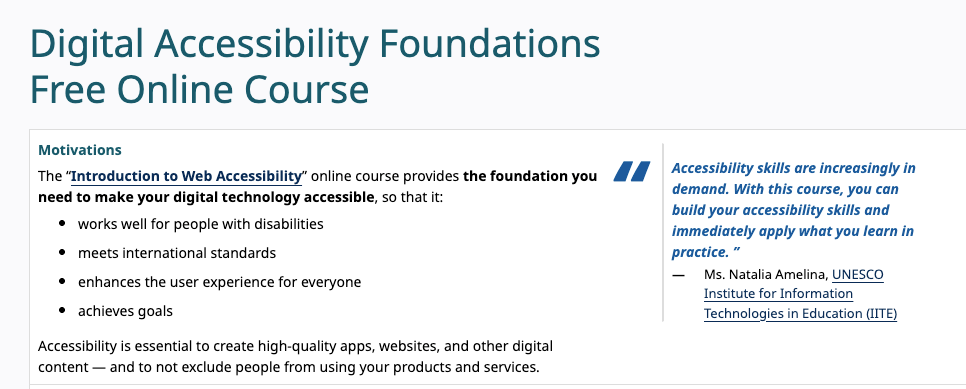
The Digital Accessibility Foundations from W3C and UNESCO is probably the best starting point. It covers WCAG principles, how people with disabilities use the web, and the business case for accessibility. The best part: you can audit it for free on edX.
💡 Fact: 96% of those who take it say they were able to apply what they learned in their work. Not bad for a free course.
🔗 Digital Accessibility Foundations - W3C/edX
Google’s Learn Accessibility (web.dev)
Google created a fairly complete free course on web.dev. It covers everything from fundamentals to testing with assistive technologies. I use it as a constant reference when I am designing research that includes participants with disabilities.
🔗 Learn Accessibility - web.dev
Udacity + Google Course
If you prefer video, the Web Accessibility course from Udacity (co-created with Google) is excellent and 100% free. It includes practical exercises with screen readers.
Diploma in Web Accessibility (Alison)
Alison has a complete free diploma on web accessibility and WCAG. It is more basic than the previous ones, but it serves if you prefer something structured with a certificate.
🔗 Diploma in Web Accessibility - Alison
The Free Book You Need (Spanish Resource)
Here comes the gem: “Accesibilidad Web. WCAG 2.2 de forma sencilla” by Olga Revilla and Olga Carreras is available as a free and accessible PDF. It’s 412 pages covering everything: WCAG 2.2, WAI-ARIA, documents PDF accesibles, SPAs accesibles, auditorías… basically the bible of accessibility in Spanish.
Olga Carreras also has an incredible blog (Usable y Accesible) with resources, checklists, and free tools she has been compiling for years.
🔗 Download “Accesibilidad Web. WCAG 2.2 de forma sencilla” (Free PDF)
Free Tools to Evaluate Accessibility
When you do UX Research, being able to detect accessibility problems gives you superpowers. These tools are free:
| Tool | What it does | Where |
|---|---|---|
| WAVE | Extension that analyzes web pages and shows errors visually | wave.webaim.org |
| axe DevTools | More technical extension, ideal for detailed reports | Chrome Web Store |
| Lighthouse | Audit integrated into Chrome DevTools (includes accessibility) | Built into Chrome |
| WebAIM Contrast Checker | Color contrast checker | webaim.org/resources/contrastchecker |
| NVDA | Free screen reader for Windows | nvaccess.org |
💡 Researcher Tip: Install NVDA and navigate your own website with your eyes closed. It is one of the most revealing experiences you will have.
Resources to Keep Learning
The A11Y Project
A community project with checklists, resources, and articles on accessibility. Their checklist based on WCAG is perfect to have on hand during heuristic evaluations.
100 Days of A11y
Amy Carney’s blog documenting her 100-day journey learning accessibility to obtain IAAP certifications. It’s like a study diary you can follow step by step. Very inspiring if you are starting out.
MDN Web Docs - Accessibility
Mozilla’s documentation on accessibility is technical but very complete. Useful when you need to understand how to implement something specific.
🔗 developer.mozilla.org/docs/Web/Accessibility
Why Does This Matter for UX Research?
I asked myself this very early in my UX journey because I had to work on a project for Lazarillo app (which is an app for visually impaired people):
- Recruiting diverse participants includes people with disabilities. If you don’t understand how they use technology, you cannot design inclusive studies.
- Heuristic evaluations can overlook barriers that affect users with disabilities, because Nielsen’s heuristics were designed before web accessibility had formal standards.
- Competitor analysis should include accessibility. It is a real competitive differentiator.
- Usability metrics change when you include users with assistive technologies.
- In Chile, Law 20.422 establishes norms on equal opportunities and social inclusion. It is not just ethics, it is regulatory compliance.
Closing
You don’t need to spend a fortune to learn UX Research, but you do need curiosity to explore new methods, order to document your findings, and guided practice to validate that you’re applying techniques correctly. If you come from psychology, design, or social sciences, this path can be an initial guide for your journey in UX Research.